
















Platformer-Editor
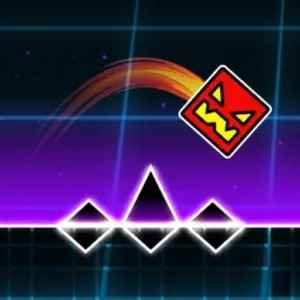
GameHubPlatformer-Editor is a Geometry Dash style platformer with a built-in level editor, made by Kokim and first published on Yandex Games in March 2025. You can play the 15 ready-made levels, which also teach you each portal, or build your own level and test it straight away. It is a fan-made game and not a RobTop release, and its own notes say it was made in about a month.
Four modes and their portals
Portals turn your character into one of four forms. The cube jumps off the ground, the ship flies for as long as you hold the jump button, the UFO hops each time you press jump, and the ball flips gravity when you press jump on the ground. Yellow portals reverse gravity and blue ones set it back, pink portals shrink you and green ones restore your size, and teleport portals come in ten colour pairs.
Pads and orbs
Jump pads bounce you as soon as you touch them. Purple is weak, yellow is stronger and red is strongest, while blue flips your gravity. Orbs come in the same colours plus green, which flips gravity and pushes you, and black, which pushes you toward the ground. To use an orb you press jump while you are inside it.
Coins, stars and skins
Every level holds three coins. A coin only counts if you reach the finish or a checkpoint without dying after picking it up. Coins unlock cube skins and the last three levels, and the final five levels are the hardest. Finishing levels earns stars, each coin is worth two more, and a leaderboard ranks players by stars.
Building a level
The editor has a create mode, an edit mode for moving, rotating and scaling objects, and a delete mode. You can place blocks, spikes, slopes, half blocks, saws, decorative symbols, coins, keys that switch coloured blocks on or off, and the finish. A red circle marks where the character spawns, and checkpoints are green diamonds. A brush button lets you paint objects by dragging across the grid, and the settings change the background, character colours and music.
Controls
Press A or the left arrow to move left and D or the right arrow to move right. Press W or the up arrow to jump, and hold it to fly the ship. In the editor on a computer, keys 1, 2 and 3 switch between create, edit and delete, Tab turns painting on and off, and the mouse wheel zooms.
More like this: Geometry Dash Wave, Slope 3D and Geometry Dash Sunshine. Other games by Ouaz Games: Don’t Splash and Skate 3D. You can also browse all geometry games and latest games.