


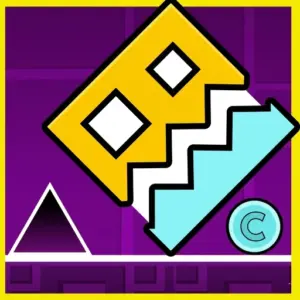















Get ready to leap through a 2D world of intense challenges in Geometry Jump! Your reflexes will be put to the ultimate test as you navigate a series of high-speed platform mazes. Don’t be fooled by the simple one-button controls—this game is fiendishly difficult! With neon visuals and relentless hurdles, Geometry Jump is an addictive experience that ramps up the difficulty the further you go.
Want more of the same energy? Check out Geometry Open World.
Geometry Games
Arcade Games
Skill Games
⚡ Game Mechanics & Survival
🎮 How to Play
- 🖱️ Jump: Left-click or use any key to leap over spikes.
- 🚀 Fly: Hold the button during flight sections to stay airborne.
- ⏸️ Menu: Tap pause to access the speed slider or the Shop.
💡 Pro Tips
- 🐢 Slow it Down: Use the speed slider to practice tricky segments.
- ⭐ Star Hunt: Collect as many stars as possible to unlock rare skins.
- 📊 Progress: Keep an eye on the bar at the top to see the finish line.
Mastering the Neon Maze
What makes Geometry Jump stand out is its balance between punishing difficulty and rewarding progression. Firstly, the inclusion of checkpoints via magic portals means you won’t have to restart the entire level after every mistake. Secondly, the ability to customize your cube and jet gives you a personal touch as you dash through the abyss. First released in 2022 by GM Media, it remains a favorite for fans of rhythmic platformers.
If You Love Fast Jumps, Try These:
High-speed rhythmic action in a frozen world.
3D blocky world with classic jumping mechanics.
Intense cosmic speedrun platforming.
Satisfying original rhythmic jumping fun.